CSV & XLSX import
Turn any spreadsheet, glossary, or exported study guide into a review deck. The fastest way to build a professional knowledge library from existing materials.
You sat through the training. You understood everything in the room. Three weeks later, you're blanking on half of it. The problem isn't attention — it's that your brain discards what it doesn't see again at the right intervals.

The average person forgets 50% of new information within a day and 90% within a week — without any review. One-time training events are expensive and largely ineffective at building lasting knowledge.
New role, new industry, new product — dozens of terms and acronyms that colleagues expect you to know. Without a system, you either spend weeks bluffing or constantly looking things up.
Work, meetings, and actual deliverables leave little room for extended study. Most professionals can't realistically set aside an hour a day for learning — but 10–15 minutes is very achievable.
CPA, PMP, SHRM, medical licensing, bar exams — these cover hundreds of concepts. Without spaced repetition, you review material you already know and miss the things you're actually weak on.
The core insight of spaced repetition is that you only need to review what you're about to forget. Material you know well requires almost no review. Material you're weak on gets more frequent attention. The system does the scheduling for you.
For professionals, this means: instead of re-reading entire manuals or sitting through refresher courses, you spend 10–15 minutes each day on a targeted review of exactly what your brain needs. Over time, this compounds — building genuine expertise, not just surface familiarity.
Daily sessions are also flexible. You can review during a commute, between meetings, on a lunch break. No laptop, no internet connection required.
Each card follows a progressive schedule: 1 → 3 → 7 → 14 → 30 days. Once a card reaches 30-day recall, it's solidly in long-term memory. Forgotten cards reset automatically. Busy week? The queue adjusts when you return.
Pharmacology terms, clinical protocols, anatomical structures, diagnostic criteria. Audio pronunciation for Latin medical terminology.
Statutes, legal terms of art, key case holdings, jurisdiction rules. Bar exam prep and continuing legal education.
GAAP rules, IFRS standards, financial ratios, tax code sections, CFA/CPA exam content. Import from spreadsheets directly.
Command syntax, design patterns, cloud service acronyms, certification content (AWS, Azure, Google Cloud). New tech onboarding.
Product specs, competitive differentiators, pricing tiers, client names and key details, industry jargon and acronyms.
Employment law basics, HR policies, compliance requirements, SHRM certification prep, management frameworks.
Pick the knowledge area with the highest near-term payoff — an upcoming certification, a new product launch, or a domain you're expanding into. Don't build five collections at once.
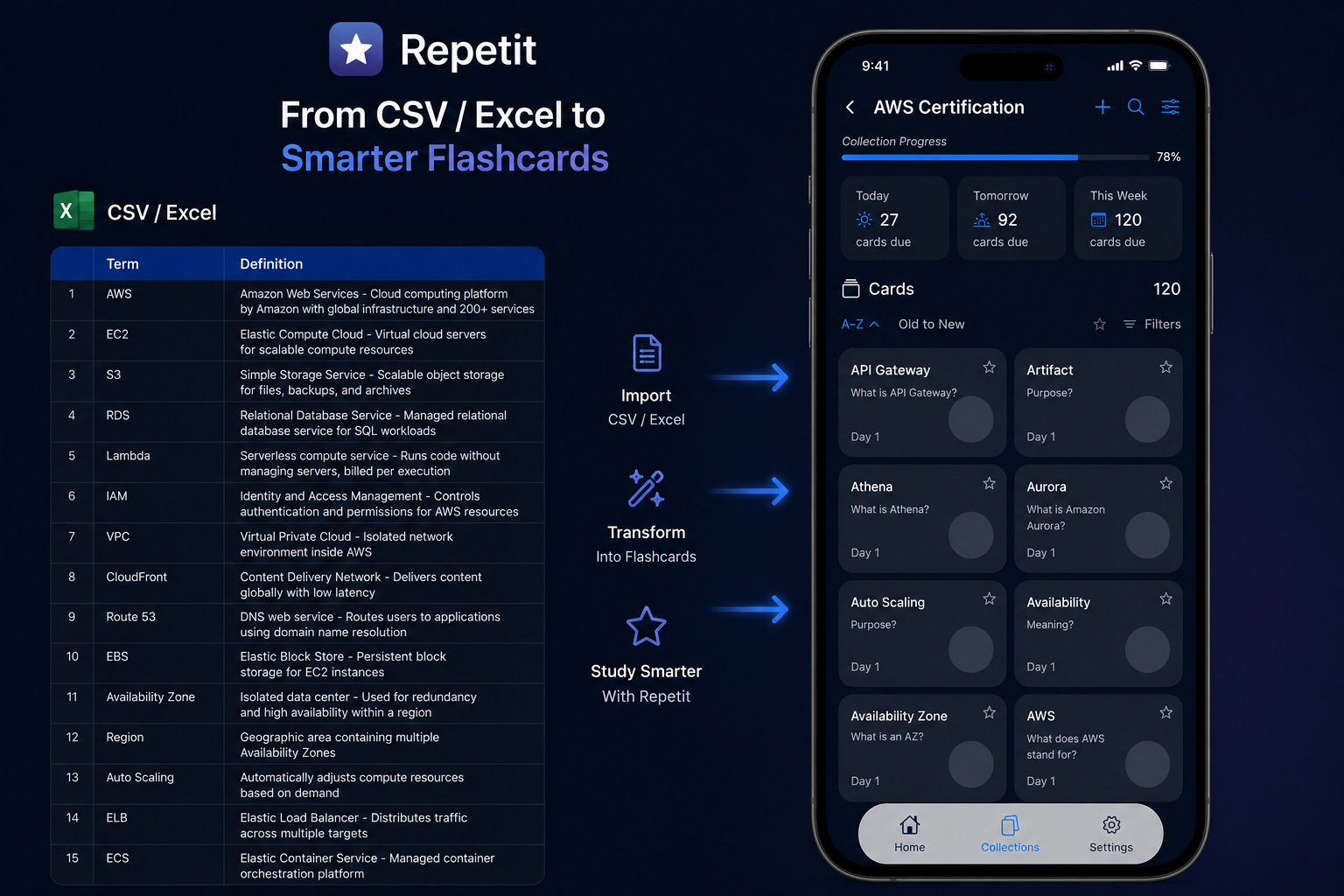
Most training content — glossaries, study guides, compliance requirements — can be exported to a spreadsheet. Use CSV or XLSX import to turn that into a review deck in seconds.
Don't add things you already know well. Focus on terminology you confuse, standards you misremember, and acronyms you have to look up. Each card should create a real mental challenge.
The back of a card can include an example, a formula, a diagram, or a real-world application. "Definition: X" is weak. "Definition: X — used when Y, not to be confused with Z" is far more useful.
Stack review sessions onto existing daily gaps: commute, waiting room, between calls. The app is offline-first, so connection doesn't matter. 10 minutes of focused review beats no review.
Keep the collection and set a monthly maintenance review. The knowledge is already built; 5 minutes a month is all it takes to keep it active. This is how deep expertise accumulates over years.
Turn any spreadsheet, glossary, or exported study guide into a review deck. The fastest way to build a professional knowledge library from existing materials.
Separate collections for different projects, certifications, or subject areas. Each tracks its own progress independently so nothing gets mixed up.
Add images, diagrams, formulas, and audio to any card. For technical content, a visual explanation on the back of a card is often more effective than text alone.
Review anywhere — commute, travel, between calls. No internet connection required. Your progress syncs automatically when you're back online.
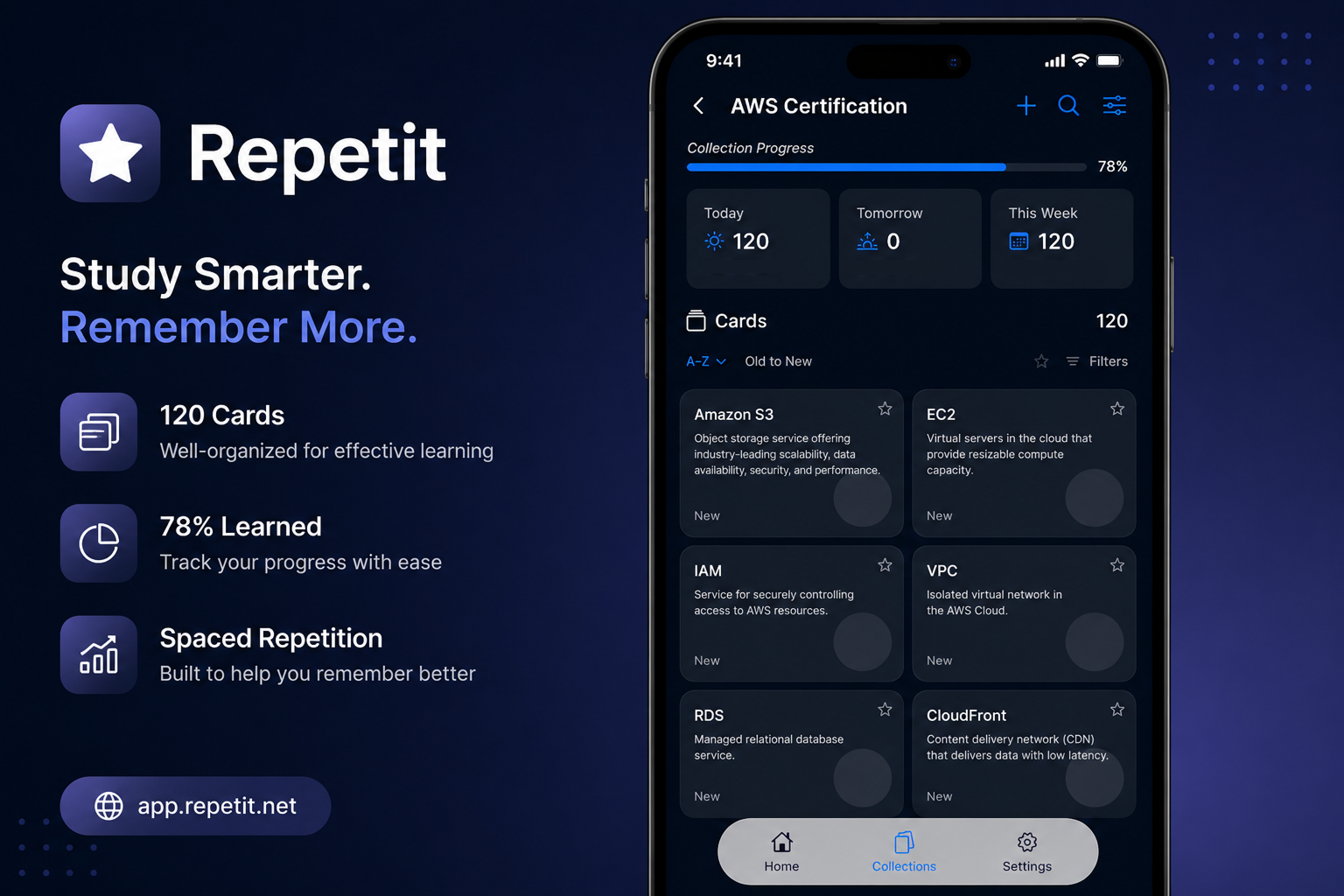
See at a glance: how many cards are learned, what's due today, and where your retention is weakest. Focus effort where it actually matters.
Hear terminology pronounced correctly — especially useful for medical, legal, and technical terms with non-obvious pronunciation. Available for dozens of languages.
The real advantage of spaced repetition for professionals isn't just passing the next exam or remembering terms for next month's client meeting. It's that knowledge compounds.
A collection built during onboarding, maintained for 12 months, produces an entirely different depth of understanding than someone who read the same manual. A certification deck reviewed monthly for three years becomes an advantage you carry everywhere.
The people in any field who seem to "just know things" — the ones who don't have to look things up, who make connections quickly, who sound authoritative in meetings — often aren't smarter. They just have better systems for keeping knowledge active.
10–15 minutes for active maintenance. Certification prep periods may require 20–30 minutes. The system only shows what you're about to forget, so there's no time wasted reviewing things you already know well.
Definitions, abbreviations, regulatory requirements, product specs, technical terms, process steps, and exam content all work extremely well. Complex procedural judgment calls are better documented elsewhere — flashcards handle discrete, testable facts best.
You can export a collection as a CSV or XLSX file and share it for teammates to import into their own Repetit accounts. This works well for onboarding decks and shared terminology libraries.
Yes. These certifications require memorizing large amounts of discrete factual content — exactly what spaced repetition excels at. Most study guides can be exported or converted to CSV for import. Build a collection per exam domain, import the content, and review daily.
Yes. Repetit is offline-first — all your cards, audio, and progress are stored locally on your device. Reviews work without any internet connection. Ideal for frequent travelers or commuters.
Track progress visually — the progress screen shows exactly how many cards you've moved through the retention cycle. Set a small daily goal (e.g., "clear today's review queue"). Connecting the habit to a real professional outcome also helps: "I want to know this cold before the Q3 client meeting."