
How to Make Effective Flashcards: 9 Rules That Actually Work
The problem with most flashcards isn't the app or the algorithm — it's the cards themselves. A badly written card stays hard to remember no matter how many times you review it. These 9 rules fix that — with concrete before-and-after examples for every rule.
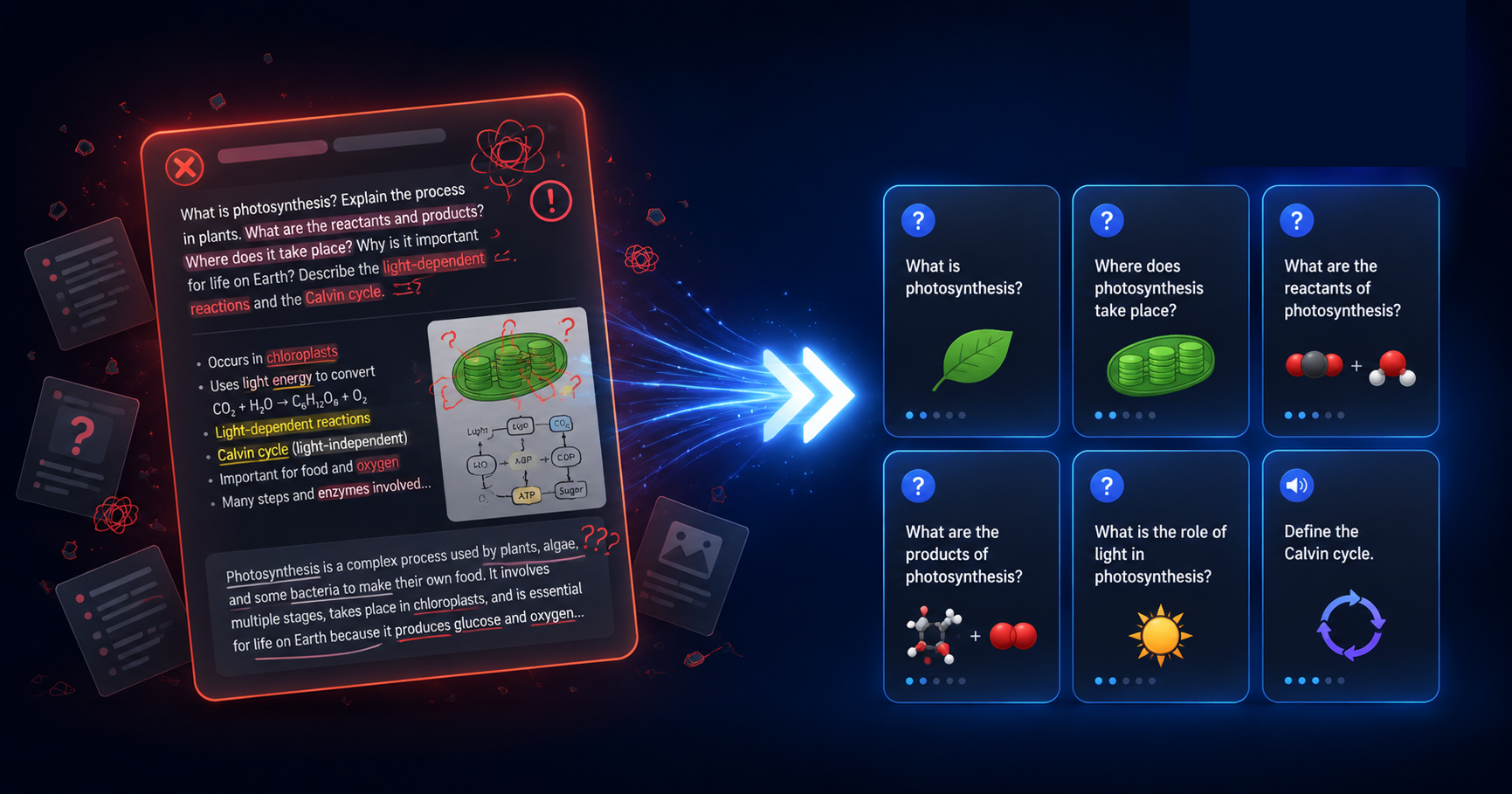
The algorithm is only as good as the cards you give it
Spaced repetition schedules your reviews at the optimal time. But if the card itself is poorly written — too broad, too vague, too long — no scheduling system can save it. You'll keep failing it, the ease factor will drop, and it will pile up in your review queue indefinitely.
The rules below come from decades of cognitive science research on memory encoding — particularly the work of Piotr Wozniak (SuperMemo), who codified the "minimum information principle" as the foundation of effective flashcard design. The core idea: a card that takes one second to recall is better than a card that takes ten.
Each rule below includes a ❌ "before" example and a ✓ "after" example so the difference is immediately concrete.
9 rules for flashcards that stick
One card — one fact
This is the single most important rule. Every card should test exactly one piece of knowledge. If you can split a card, you should. Cards with multiple answers are impossible for the algorithm to grade correctly: you might remember part A but forget part B, and any rating you give is a compromise that misleads the system.
This should be at least 4 separate cards.
Instant recall, clean rating, fast review.
Ask a specific question — not a topic
The front of a card should be a closed question with one correct answer, not an open prompt. "Tell me about X" or "Explain Y" gives you no clear success criterion — you could ramble for two minutes or say one word and have no idea if you actually knew it. A specific question forces a specific retrieval.
What are you actually testing? Recognition of the word? Everything about mitosis?
Unambiguous question, unambiguous answer.
Use context and examples, not bare definitions
Memory attaches to meaning. A bare definition ("X is Y") gives your brain nothing to hook onto — it's just arbitrary text to be memorised. A definition embedded in a real example or context gives the brain a second retrieval route: you can arrive at the answer through meaning, not just rote memory.
The example makes the concept concrete and memorable.
Add an image when the concept is visual
The picture superiority effect is one of the most replicated findings in memory research: images are remembered significantly better than words alone. For anatomy, geography, chemical structures, UI elements, art, or any concept with a visual form — add an image. It's not decoration; it's a second memory channel.
Visual location + name = two retrieval routes.
Keep the front short — under 15 words
A long front forces you to spend time reading before you even start recalling. Reading time inflates your review session and breaks the retrieval rhythm. The front of the card should trigger recall, not explain context. If you need to provide background to make the question understandable, that's a sign the card is too complex.
Connect new cards to what you already know
Isolated facts are the hardest to remember. Facts connected to existing knowledge are easy. Before creating a card, ask: what does this new piece of information relate to that I already know? Then write the card in a way that makes that connection explicit. This is especially powerful for vocabulary — anchoring a new word to a word root, a familiar word in another language, or a vivid association.
The etymological hook makes the word unforgettable.
Make bidirectional cards for vocabulary
Being able to recognise a foreign word when you see it (passive knowledge) is different from being able to produce it when you need it (active knowledge). For vocabulary you want to actively use — not just understand when reading — create two cards per word: one in each direction. Recognition and production are separate memory skills that require separate practice.
You'll recognise the kanji but can't produce it when speaking.
Two separate retrieval skills — both needed for fluency.
Use audio for pronunciation and listening skills
For language learning, reading and hearing a word activate different memory pathways. A word you can read but not recognise when spoken — or produce correctly yourself — is only half-learned. Adding audio to vocabulary cards trains the phonological loop separately from visual recognition. Text-to-speech covers most languages; recording yourself reading a sentence adds active production practice.
Can you actually say it? Does it sound right when someone says it to you?
Listening + speaking + reading = three reinforcements per review.
Rewrite cards you keep failing — don't just review them harder
If you've reviewed a card eight times and still struggle, the problem is the card — not your memory. Stubbornly reviewing a badly framed card is wasted time. A card that refuses to stick is a signal: either the concept wasn't understood before creating the card, the card is too complex, or the framing doesn't create a usable memory hook. Fix the card.
Too broad — the back contains several facts, none of which anchor clearly.
Each question has one correct, immediately testable answer.
All 9 rules at a glance
| # | Rule | The problem it fixes | Applies to |
|---|---|---|---|
| 1 | One card — one fact | Can't grade mixed-knowledge cards fairly | All subjects |
| 2 | Ask a specific question | Vague prompts → vague recall → unclear rating | All subjects |
| 3 | Use context and examples | Bare definitions don't anchor to existing knowledge | All subjects |
| 4 | Add images for visual content | Words alone miss the visual memory pathway | Anatomy, geography, vocab, science |
| 5 | Keep the front under 15 words | Long fronts waste review time and break rhythm | All subjects |
| 6 | Connect to existing knowledge | Isolated facts are hardest to retain | Vocabulary, concepts, terminology |
| 7 | Make bidirectional cards for vocabulary | Recognition ≠ production — they need separate practice | Language learning |
| 8 | Add audio for pronunciation | Reading a word doesn't train hearing or speaking it | Language learning |
| 9 | Rewrite cards you keep failing | A bad card stays bad no matter how many reviews | All subjects |
One thing to do before writing any card
Understand before you memorise. Piotr Wozniak's original rule #1 was not "one card, one fact" — it was "do not memorise what you do not understand." A card testing a concept you don't understand cannot be answered from memory; it can only be answered from rote repetition, which is slow, fragile, and exhausting.
Before creating flashcards on a new topic: read the material once without making cards. Understand the structure. Identify the relationships. Then go back and create cards only for the facts that are worth memorising — the specific pieces that are useful in isolation, not everything that appeared on the page.
A good card is not a copy-paste of text from a textbook. It's a targeted retrieval exercise — designed to test one specific piece of knowledge that you understand and want to keep.
Before you save a card — run this check
Can I answer this in one go? If I have to recall more than one discrete fact to answer correctly, split the card.
Is the question unambiguous? Would any two people reading this question give the same answer? If not, rewrite it.
Can I read the front in under 5 seconds? If not, the front is too long — cut the context, move it to a note.
Does the back contain only the answer? No extra paragraphs, no bonus facts. The answer only. Extra information goes in a note field, not the back.
Do I actually understand what this card is testing? If the concept itself is unclear, close the app and re-read the source material first.
Is there an image I could add? For anatomy, geography, vocabulary, or anything spatial — would a picture help? If yes, add one now.
FAQ: making effective flashcards
What should go on the front and back of a flashcard?
The front: one specific question or prompt. The back: one correct answer — as brief as possible. Never put multiple questions on one card, and never put explanatory paragraphs on the back. The back should only contain what's needed to verify whether your recall was correct.
Should I make my own cards or use pre-made decks?
Both have value. Making your own cards forces active encoding — just choosing what's worth a card is itself a learning exercise. Pre-made decks are efficient for well-defined domains (language vocabulary, medical terminology) where content is standardised. Best approach: start with a quality pre-made deck and add your own cards for personal mnemonics, examples from your own life, and gaps in the pre-made deck.
How many cards should I make per chapter or lecture?
There's no fixed number — it depends on the density of testable facts. A typical university lecture might produce 15–40 cards following the one-fact-per-card rule. Resist the urge to card everything: focus on facts that are (a) likely to be tested, or (b) genuinely needed in your field. Not everything that appears in a textbook is worth memorising as a standalone fact.
Can I import cards from a spreadsheet instead of typing them one by one?
Yes — Repetit supports CSV and XLSX import. If you have a word list, term-definition pairs, or a spreadsheet of study material, you can turn it into a full deck in seconds. The import format is two columns: front and back. The rules above still apply — it's worth cleaning up the content before importing rather than fixing bad cards one by one in the review queue.
What do I do with cards I keep failing no matter what?
Don't keep reviewing them — fix them. First: confirm you actually understand the underlying concept (if not, study it first). Then: split the card if it covers multiple facts, add a mnemonic or image, or reframe the question entirely. A card that resists memory after 5+ reviews with genuine effort is almost always a card design problem, not a memory problem.